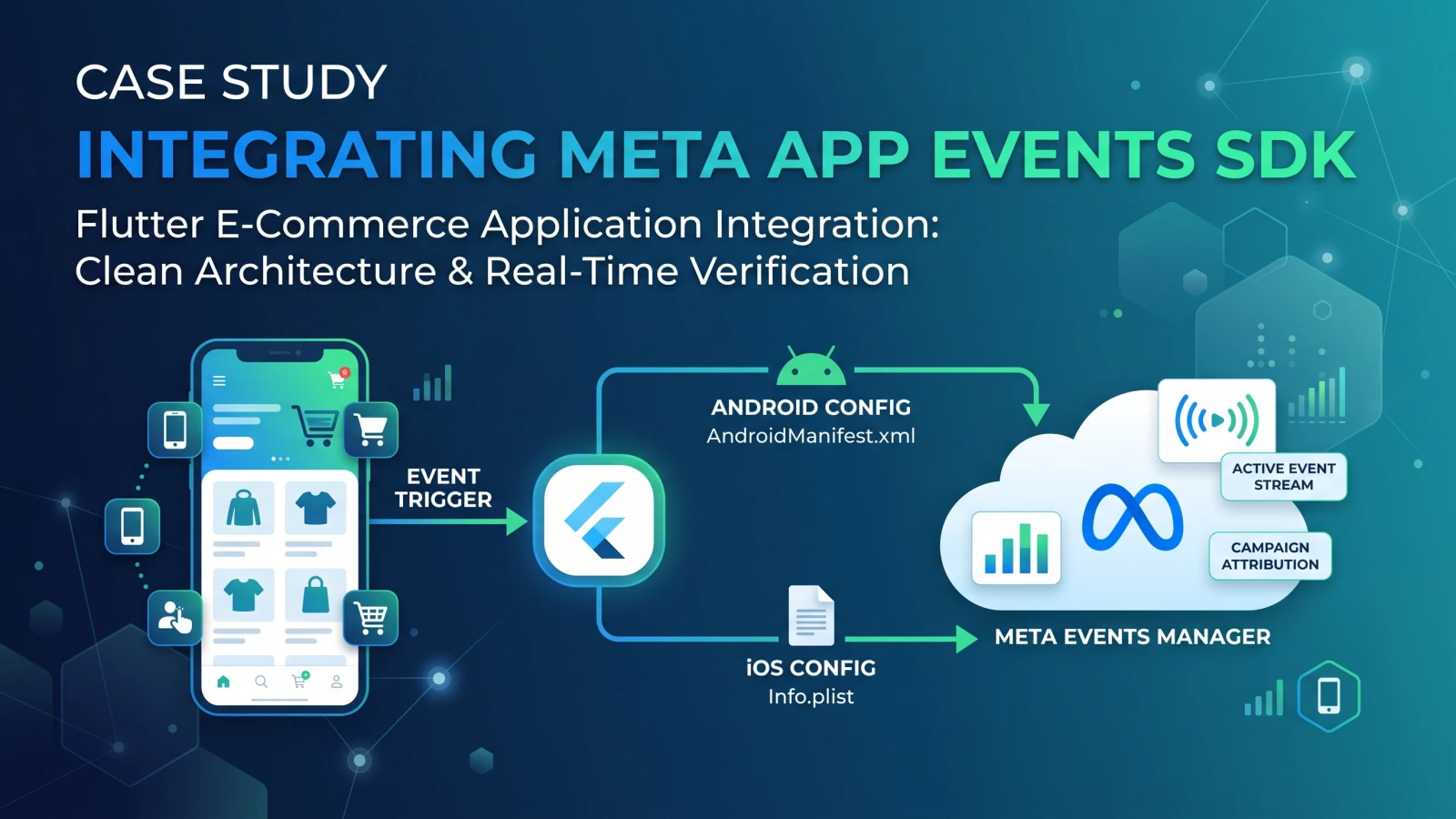
Context: An existing Flutter mobile e-commerce application requiring client-side Meta App Events integration to enable campaign attribution, custom audience targeting, and real-time conversion tracking within Meta Events Manager.
1. Architectural Strategy & Discovery
Objective: Implement native Meta App Events via Flutter while maintaining clean architectural separation, ensuring immediate test verifiability and zero interference with production ad reporting.
Key Technical Decisions:
-
Native Wrappers: Utilize native configurations across Android (
AndroidManifest.xml,strings.xml) and iOS (Info.plist) alongside the Flutter bridge (facebook_app_events). -
Service Abstraction: Encapsulate all event dispatching within an isolated
MetaAnalyticsServiceclass to avoid scattering SDK calls across presentation widgets and state management layers. -
Flushing Mechanism: Implement explicit dispatching (
flush()) during development and testing to prevent default SDK batching delays (which typically buffer events for 15–30 seconds).
2. Implementation Workflow
Step 1: Credential Provisioning & Native Layer Binding
Retrieved the App ID, Client Token, and App Name from the Meta for Developers console and embedded them into platform-specific configs:
-
Android Manifest & Resource Files: Configured
ApplicationIdandClientTokenmetadata insideAndroidManifest.xmlreferencing string resources to satisfy Android SDK initialization checks. -
iOS Property List: Configured
FacebookAppID,FacebookClientToken,FacebookDisplayName, and custom URL schemes inInfo.plist.
Step 2: Service Architecture in Flutter
Created a singleton analytics service wrapping standard e-commerce lifecycle events:
Dart
class MetaAnalyticsService {
  static final FacebookAppEvents _fb = FacebookAppEvents();

  static Future<void> init() async {
    await _fb.setDebugLoggingEnabled(true);
    await _fb.setAutoLogAppEventsEnabled(true);
  }

  static Future<void> logEvent(String name, {Map<String, dynamic>? parameters}) async {
    await _fb.logEvent(name: name, parameters: parameters);
    await _fb.flush(); // Bypasses batch buffer for immediate debugging
  }
}
Step 3: Funnel Event Mapping
Integrated standard and custom triggers into core application flows:
-
App Lifecycle:
ActivateAppandApp installsautomatically registered on cold boot. -
Authentication: Dispatched custom
login_successevents upon session generation. -
Catalog Engagement: Mapped
View contenton product detail screen visits withcontent_id,currency, andprice. -
Conversion Funnel: Bound
Add to Cart,Initiate Checkout, andPurchasepayloads with dynamic cart metadata.
3. Verification & Testing Matrix
| Testing Stage | Dashboard Location | Expected Behavior | Observed Outcome |
| Real-Time Stream | Events Manager > Test events (App) | Immediate event capture within active session window (2–5s). | Events stream live without touching production metrics. |
| Aggregated Ingestion | Events Manager > Overview | Ingested events grouped by name, payload parameters, and volume. | Standard (View content, ActivateApp) and custom events logged with 100% payload integrity. |
| Diagnostics | Events Manager > Actions | Automated audit of data stream and matching quality. | Web-specific optimization suggestions flagged without blocking mobile SDK traffic. |
4. Key Takeaways & Operational Notes
-
Overview vs. Test Events: The Overview tab represents persisted, aggregated production data, while the Test events tab functions strictly as a stateless, real-time debugging websocket that does not record historical data.
-
Batching Latency: Production environments rely on automatic batched transmission to preserve battery and network overhead; testing environments require explicit
flush()calls for immediate validation. -
Clean Separation of Channels: Dataset dashboards aggregate cross-channel inputs (Web, App, Server). Diagnostic warnings targeting unconfigured channels (e.g., Web Conversions API) can be safely ignored when deploying isolated mobile SDK pipelines.