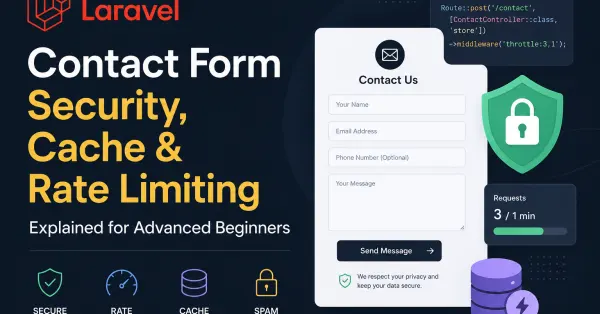
Laravel Contact Form Security, Cache & Rate Limiting Explained for Advanced Beginners
Building a contact form in Laravel is easy. Building a secure and production-ready contact form is where real backend engineering begins.
Many beginner Laravel developers focus only on frontend validation and database insertion. However, production applications require additional layers like request throttling, cache handling, bot prevention, secure environment configuration, and proper error management.
Why Laravel Rate Limiting Matters
Laravel provides built-in request throttling using middleware:
Route::post('/contact', [ContactController::class, 'store'])
    ->middleware('throttle:3,1');
This means:
-
Maximum 3 requests
-
Within 1 minute
-
Per IP/user
When a user exceeds the limit, Laravel automatically returns:
429 Too Many Requests
Internally, Laravel stores throttle counters inside the configured cache driver.
Understanding Laravel Cache Storage
In many shared hosting environments, developers use:
CACHE_STORE=database
Laravel then stores temporary cache entries inside the cache database table.
For throttling, Laravel creates two cache records:
-
Request attempt counter
-
Expiration timer
These entries automatically expire after the throttle duration ends.
For small Laravel projects and shared hosting, database cache is perfectly acceptable. Larger applications usually migrate to Redis for performance optimization.
Secure Laravel Contact Form Validation
Client-side validation is not enough. Every input must be validated server-side.
Example:
$request->validate([
    'first_name' => 'required|string|max:50',
    'client_email' => 'nullable|email',
    'client_message' => 'required|min:10|max:500',
]);
This protects against malformed requests, spam payloads, and unexpected input structures.
Preventing Spam Bots in Laravel
Modern Laravel forms should include:
-
CSRF protection (
@csrf) -
Honeypot fields
-
Rate limiting
-
CAPTCHA or Cloudflare Turnstile
Simple honeypot example:
<input type="text" name="website" style="display:none">
If the hidden field is filled, the request is likely automated spam.
Production Security Mistakes Beginners Make
One of the most dangerous mistakes is deploying Laravel with:
APP_DEBUG=true
In production, this should always be:
APP_DEBUG=false
APP_ENV=production
Otherwise, Laravel may expose:
-
database credentials
-
stack traces
-
internal file paths
-
API secrets
Shared Hosting vs Redis
Many beginners think Redis is mandatory for Laravel optimization. In reality, most shared hosting environments work perfectly fine with:
CACHE_STORE=database
SESSION_DRIVER=file
QUEUE_CONNECTION=database
Redis becomes valuable only when applications scale heavily with:
-
high traffic
-
real-time systems
-
queues
-
websocket events
-
large API workloads
Final Thoughts
Laravel already provides enterprise-grade tools for security and performance. The key is understanding how middleware, cache drivers, validation, and environment configuration work together.
A secure Laravel contact form is not just about inserting records into a database. It is about controlling abuse, protecting infrastructure, and preparing your application for production traffic from day one.