Introduction
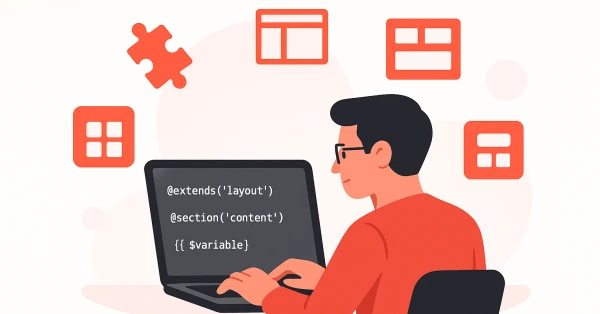
If you’re building a Laravel project, chances are you’ll use Blade Templates. Blade is Laravel’s built-in templating engine, designed to make your views clean, reusable, and easy to manage. In this quick guide, you’ll learn layouts, components, and reusability—the three most important parts of Blade—in about 30 minutes.
What Are Blade Templates?
Blade Templates are .blade.php files stored in resources/views. They let you write HTML with Blade syntax that compiles into plain PHP.
<h1>Hello, {{ $user->name }}</h1>Compared to plain PHP, Blade gives you shorter syntax, reusable layouts, and built-in safety features.
Why Use Blade Instead of Plain PHP or HTML?
- Cleaner Code: directives like
@if,@foreachreduce clutter. - Reusable Views: layouts and components keep the UI consistent.
- Faster Development: less repetition, quicker builds.
- Secure by Default: auto-escaping prevents XSS attacks.
Blade Syntax Basics
Echoing Data
- Safe output:
{{ '{{$name}}' }} - Raw HTML (use cautiously):
{{ '{!! $content !!}' }}
Conditionals and Loops
@if($user->isAdmin())
  <p>Welcome Admin</p>
@endif

@foreach($posts as $post)
  <li>{{ $post->title }}</li>
@endforeach
Includes
@include('partials.header')
@include('partials.footer')
Includes keep code modular and avoid duplication.
Layouts in Blade
Layouts define a master template (e.g., app.blade.php) and let pages extend it.
Master Layout Example
<!DOCTYPE html>
<html>
<head>
  <title>@yield('title')</title>
  <meta name="viewport" content="width=device-width, initial-scale=1, maximum-scale=1">
</head>
<body class="min-h-screen">
  @include('partials.navbar')

  <main class="container mx-auto px-4">
    @yield('content')
  </main>

  @include('partials.footer')
</body>
</html>
Child View Example
@extends('layouts.app')

@section('title', 'Home Page')

@section('content')
  <h1 class="text-xl sm:text-2xl font-semibold">Welcome to My Blog</h1>
@endsection
This keeps your site consistent while letting each page define its unique content.
Components in Blade
Components are reusable UI elements (buttons, cards, alerts).
Creating a Component
php artisan make:component AlertThis creates resources/views/components/alert.blade.php and app/View/Components/Alert.php.
Using a Component
<x-alert type="success" message="Post saved successfully!" />Slots for Flexibility
<x-alert>
  <strong>Success!</strong> Your action was completed.
</x-alert>
Components make templates modular and reusable, saving development time.
Reusability with Blade
Maximize reuse with a simple strategy:
- Use layouts for global structure.
- Use components for repeating UI pieces.
- Use includes for small shared snippets.
For a blog: layout → app.blade.php; components → <x-post-card>, <x-comment>; includes → partials.header, partials.footer.
Advanced Blade Features
Loop Variables
Blade exposes the $loop helper: $loop->index, $loop->last, and more.
Conditional Classes
<li @class(['active' => $isActive])>Menu</li>Custom Directives
Create your own tags with Blade::directive() for project-specific formatting.
Best Practices
- Keep layouts clean and minimal.
- Avoid business logic in views—push it to controllers/view models.
- Prefer components over duplication.
- Group related views into folders (e.g.,
blog/,dashboard/).
Common Mistakes to Avoid
- Mixing too much PHP logic inside Blade.
- Forgetting to escape output with
{{ '{{ }}' }}. - Creating duplicate layouts instead of using
@extends.
Real-World Use Cases
- Blogs: Post layout, reusable header/footer.
- E-commerce: Product cards and filters as components.
- SaaS Dashboards: Navbars, widgets, and panels via layouts and components.
FAQs About Blade Templates
Is Blade faster than plain PHP?
Yes. Blade compiles to raw PHP and is cached, so there’s no runtime penalty.
Can I use plain PHP inside Blade?
You can, but prefer Blade syntax for readability and consistency.
How are components different from includes?
Includes import files; components are reusable UI blocks that accept data and slots.
Can Blade be used outside Laravel?
Blade is tightly integrated with Laravel and is best used within Laravel apps.
What’s the difference between @yield and @section?
@yield defines placeholders in layouts; @section fills them in child views.
Should I use Blade for small projects?
Yes. Blade keeps even tiny apps organized and scalable.
Conclusion
Blade Templates make Laravel development cleaner and faster. With layouts, components, and reusability, you’ll build scalable apps in less time. Start small—create a layout, build a component, and reuse it. Soon, the flow of Blade Templates 101: Layouts, Components, and Reusability in 30 Minutes will feel natural in every project.
Keep learning with the official docs: Laravel Blade Documentation.